Holiday Return Deadline Countdown: How Many Days Left to Return Gifts
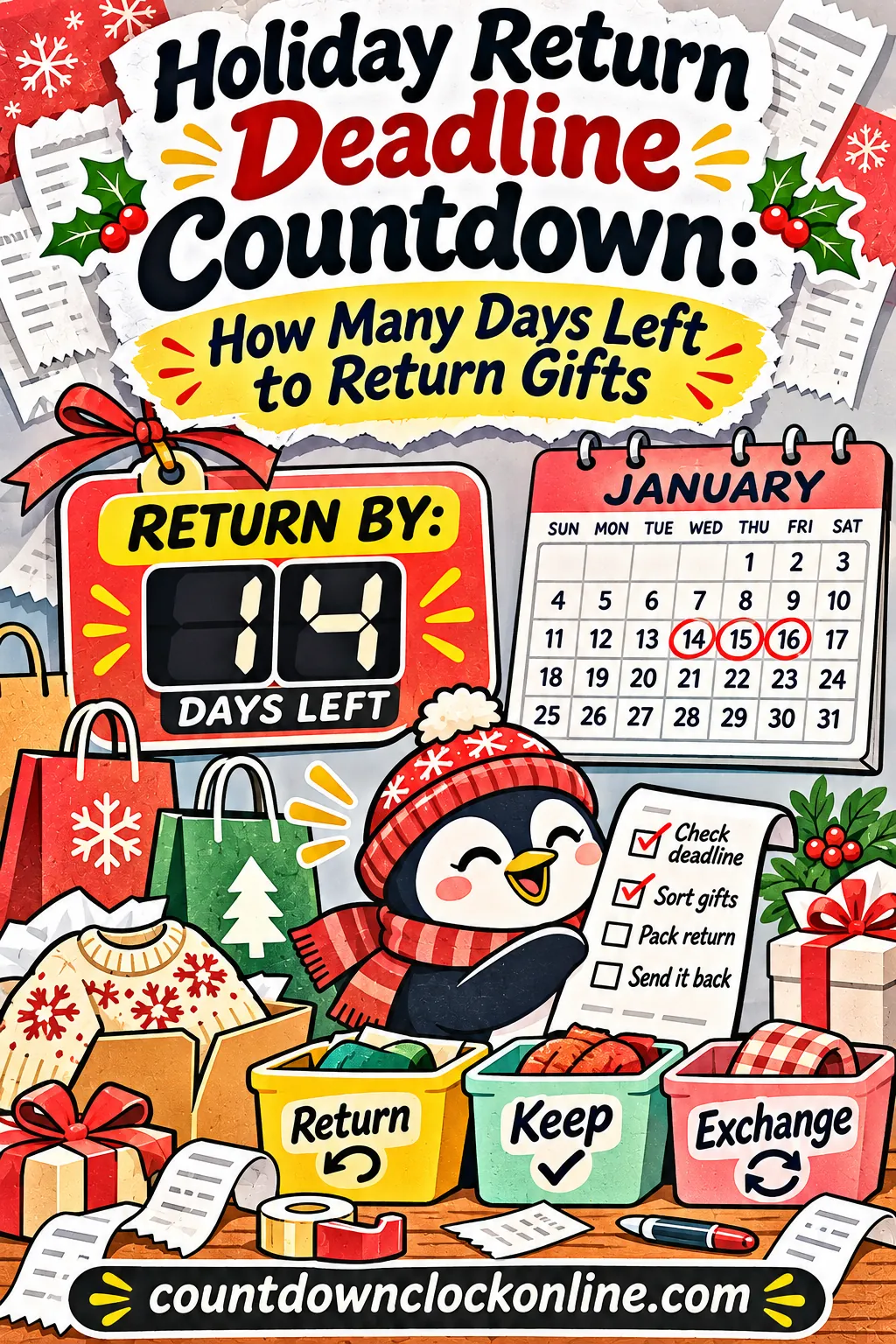
Your holiday return deadline is the date printed on your receipt or in the store's posted holiday policy, counted from the day the item was bought (not the day you opened it), so find that one date for each gift and put it on a live countdown you'll actually see. Most missed returns don't happen because people decide to keep a gift. They happen because the date slid by in the busy weeks after the holidays.
A free return deadline countdown opens already set to the last minute of Jan. 31, 2027, a common extended cutoff. Change the date to match your own receipt, save it, and it'll tick down every time you open it.
This guide walks you through finding the real cutoff, doing the date math, setting up one countdown per gift, and handling the problems that come up when a return is close to the wire.
Why Holiday Return Deadlines Are So Easy to Miss
You'd think one date would be simple. The trouble is that holiday returns usually involve several dates at once, and they don't line up.
Here's what's usually going on in January:
- Every store has its own window. A sweater from one shop and a gadget from another can have cutoffs weeks apart.
- Holiday windows are often extended, but not for everything. Many retailers stretch their return period for things bought in November and December. Some product types, like electronics, opened media or special-order items, often keep a shorter window or follow separate rules.
- The clock starts at purchase, not at unwrapping. If a relative bought your gift in early November, part of the window was gone before you ever saw the box.
- Gift receipts hide the purchase date in small print. You might not know when the item was bought until you look closely.
- January is busy. School starts back up, work picks up, and the gift bag sits in the closet.
Put those together and it's easy to see how a return slips. The fix isn't trying harder to remember. It's writing down the one correct date for each item and putting it somewhere that counts down on its own.
Standard windows vs. extended holiday windows
You'll run into two kinds of return windows. Knowing which one applies tells you which date to count to.
| Window type | How it usually works | What to check |
|---|---|---|
| Standard window | A set number of days from the purchase date, like 14, 30, 60 or 90 days | The number of days and the purchase date on the receipt |
| Extended holiday window | Items bought during a set holiday stretch (often from about early November through late December) can be returned until one fixed date in January | The purchase-date range it covers and the final return date |
| Category exception | Some items have a shorter window or extra conditions, even during the holidays | Whether your item's type is listed separately |
| Online-only rules | Returns by mail may need to be started, or shipped, by the cutoff | Whether the deadline means "start the return" or "package received" |
None of these numbers are universal. Every retailer writes its own policy, and policies change from year to year. Treat the table as a list of questions to answer, not answers you can count on.
Step 1: Find Your Real Return Deadline
Before you build any countdown, get the date right. A countdown to the wrong day is worse than no countdown, because it makes you feel safe when you're not.
Where the deadline is written
Look in these places, roughly in this order:
- The receipt or gift receipt. Many receipts print the return-by date near the bottom. Gift receipts often show the purchase date even when they hide what was paid.
- The order confirmation email. For online orders, the confirmation or shipping email usually includes the order date and a link to the return policy.
- Your account's order history. If you or the gift giver ordered online, the order page often shows "return by" or "eligible through" with an exact date.
- The store's posted holiday return policy. Look for the policy page on the store's own site or a sign near the service desk. It'll say which purchase dates get the extended window and the last day to return.
- The product's packaging or warranty card. Some items have their own return terms, especially electronics.
If you can't find a date at all, ask the store directly before you guess. A quick call or a chat with customer service is better than counting to a date you made up.
Ask the gift giver, kindly
If you don't have a receipt, the person who gave you the gift may still have the order email. Here's a message that doesn't make anyone feel bad:
"I love that you thought of me with the [item]! It's a little [too big / a duplicate / not quite my size]. Do you happen to still have the receipt or the order email? I want to swap it before the return window closes."
Most people would much rather help with a swap than know you have something you can't use. Ask in the first week after the holiday, while they can still find the email easily.
Write it down in one line
For each gift, write one line with four facts. This is the information you'll put into the countdown.
| Gift | Store | Deadline date | Deadline time |
|---|---|---|---|
| Blue sweater, size M | Store A | Jan. 31, 2027 | Store closing time |
| Headphones (duplicate) | Store B | Jan. 9, 2027 | 11:59 PM for online return |
| Cookbook | Store C | Jan. 24, 2027 | Store closing time |
The time column matters more than people think. "Jan. 31" might mean when the store closes that night, or 11:59 PM in the store's own time zone for an online return. If the policy doesn't say, use the earlier option, like the store's closing time.
Step 2: Do the Date Math (With Worked Examples)
Many policies give you a number of days instead of a fixed date. Here's how to turn "30 days" into an exact deadline.
How to count days from purchase
The usual way to count is that the day after purchase is day 1. So for a 30-day window on something bought Thursday, Dec. 10, 2026:
- Dec. 11 is day 1.
- Dec. 31 is day 21.
- Jan. 9, 2027 is day 30.
The deadline is Saturday, Jan. 9, 2027. If a store counts the purchase day itself as day 1, the deadline moves one day earlier, to Jan. 8. When you're not sure, plan for the earlier date.
Worked examples for the 2026 season
| Situation | Window | Deadline | Day of week |
|---|---|---|---|
| Bought Dec. 10, 2026 | 30 days | Jan. 9, 2027 | Saturday |
| Bought Dec. 5, 2026 | 30 days | Jan. 4, 2027 | Monday |
| Received Dec. 26, 2026 (window starts on delivery) | 14 days | Jan. 9, 2027 | Saturday |
| Bought Nov. 28, 2026 | 60 days | Jan. 27, 2027 | Wednesday |
| Bought Nov. 15, 2026 | 90 days | Feb. 13, 2027 | Saturday |
| Extended holiday window | Fixed date | Jan. 31, 2027 | Sunday |
Notice how two very different purchases (Dec. 10 with 30 days and Dec. 26 with 14 days) both land on Jan. 9. That's exactly why a list of dates beats trying to keep them in your head.
How many days are left right now?
If your cutoff is Jan. 31, 2027, here's how much time you have from a few common starting points:
- From Christmas Day, Dec. 25, 2026: 37 days
- From Dec. 26, 2026: 36 days
- From Jan. 2, 2027: 29 days
- From Jan. 10, 2027: 21 days
- From Jan. 20, 2027: 11 days
It feels like a lot on Dec. 26. By Jan. 20, with work and school back in full swing, eleven days goes fast. And remember that Jan. 31, 2027 falls on a Sunday, when some stores keep shorter hours. If you plan to return in person, aim for the weekend before.
Step 3: Set Up Your Countdown With the Free Tool
Now you've got a date and a time for each return. The free countdown maker turns each one into a live clock with its own link. There's nothing to install and no account to make.
Open the ready-made return countdown
Tap the ready-made return deadline countdown. It opens with these settings filled in:
- Event name: Last day to return gifts
- Date: January 31, 2027
- Time: 11:59:59 PM
- Theme: Midnight, a deep night sky with twinkling stars
The clock starts counting right away. You'll see big numbers for days, hours, minutes and seconds, the full date under the title, and a row of stats showing the sleeps, weeks, weekends and work days left.
Change the settings to match your receipt
Tap Edit this countdown and the page scrolls to the form. There are four controls, and your changes show on the countdown as you make them.
- Event name. Up to 60 characters. Be specific, because you might end up with several of these: "Return blue sweater to Store A" or "Headphones return, ship by Jan. 4."
- Date. Pick the deadline from your receipt or the policy.
- Time. Enter the store's closing time for an in-person return, or 11:59 PM for an online one if that's what the policy says. Leave it at 00:00 and the countdown ends at the very start of that day, which is a handy built-in buffer if you want one.
- Theme. Midnight is calm and easy to read. Minimal Mono is plain with no floating decorations, which some people like for a to-do style countdown. Frost gives you icy winter blues.
Press Start countdown when you're done.
Leave Repeat every year unchecked. That box is meant for birthdays and anniversaries that land on the same date every year. Return deadlines change with every purchase, so a one-time countdown is what you want.
Save one countdown per gift
If you only have one return, you're done. Most people have two or three, and each one has a different date. Here's how to keep them all in one place:
- With your first countdown on screen, tap Save to my countdowns. The button changes to show it's saved.
- Tap Make another. A fresh countdown opens, and the one you saved stays as it was.
- Fill in the next gift's name, date and time, then press Start countdown.
- Tap Save to my countdowns again.
- Repeat for each item.
Your saved countdowns sit together on the page and keep ticking. You can keep up to 12 in one browser, which is plenty for even a big family's pile of returns. When you finish a return, remove that countdown so the list only shows what's still due.
One thing to know: saved countdowns live in the browser you made them in. If you save them on your laptop, they won't show up on your phone. To get them on both, copy each share link and open it on the other device, or bookmark the links there.
Put the deadline where you'll see it
A countdown only helps if you look at it. The buttons along the top of the countdown give you a few ways to keep it in sight.
| Button | What it does | How it helps with returns |
|---|---|---|
| Copy share link | Copies a link that carries the name, date, time and theme | Text it to yourself or a partner, or bookmark it |
| Add to calendar | Downloads a calendar file with an all-day event on the deadline date and a reminder one day before | Your phone or computer calendar nudges you the day before the cutoff |
| Save image | Makes a picture of the countdown in a tall or square shape | Set it as a lock screen for the month, or print it for the fridge |
| Fullscreen | Shows a clean, big countdown with nothing else on the screen | Leave it up on a spare tablet by the front door |
| Embed | Gives you code for a live countdown on a web page | Handy if you keep a family page or a personal planner site |
The calendar reminder is the one many people find most useful, because it shows up even if you never open the countdown again. Just keep in mind that the reminder comes one day before the deadline date. For an online return that needs a few days to ship, that's too late, so make a second countdown to your ship-by date (more on that below).
Read the stats row: a worked example
Under the big numbers, the countdown shows a short row of extra counts. Here's what they look like for a Jan. 31, 2027 deadline, opened at 10:00 AM on Saturday, Dec. 26, 2026:
- 36 sleeps. The number of nights between today and the deadline date.
- 5 weeks. Full weeks left.
- 5 weekends. The number of Saturdays between tomorrow and the deadline.
- 25 work days. Weekdays, Monday through Friday, between tomorrow and the deadline.
The weekends count is the most useful one for returns. If you can only get to the store on a Saturday or Sunday, five weekends is your real number of chances, and one of them is probably already booked. When it drops to two, it's time to put the bag in the car.
The work days count doesn't skip public holidays, so Jan. 1 and any other day off are counted as regular weekdays. Use it as a rough guide.
Share it with someone who'll keep you honest
Tap Copy share link and send it to whoever shares your calendar. Anyone who opens the link sees the exact same countdown, ticking down to the same moment.
Under the share box there's also a set of ready-made lines, like "Only 5 weeks until Last day to return gifts!" Tap one and it's shared (or copied) with the live link attached. It's a lighthearted way to remind a partner or roommate that their returns are due too.
If you live in different time zones, that's fine. The time you type is read in your own device's time zone, and the link carries that exact moment. Each person sees the countdown end at the same instant, shown in their own local time.
Step 4: Plan Your Returns Week by Week
Once your countdowns are running, a simple plan keeps them from piling up at the end. Here's a timeline built around a Jan. 31, 2027 cutoff. If your deadline is earlier, slide everything forward by the same number of days.
| When | What to do |
|---|---|
| Dec. 25 to 27 | Set aside anything you plan to return. Keep tags on and packaging intact. |
| Dec. 26 to 28 | Gather receipts, gift receipts and order emails. Ask gift givers for any you're missing. |
| Dec. 28 | Write the deadline for each item and make one countdown per gift. |
| Dec. 29 to Jan. 3 | Return anything with a short window (14 or 30 days). Start any online returns. |
| Jan. 4 to 10 | Handle the next batch. Mail packages for online returns. |
| Jan. 11 to 17 | Check that online refunds or exchanges have gone through. |
| Jan. 18 to 24 | Finish any in-person returns. This is the last full weekend before a Jan. 31 cutoff. |
| Jan. 25 to 30 | Last call. Only true stragglers should be left. |
| Jan. 31 | Deadline day. It's a Sunday, so check hours before you go. |
The single most helpful habit is doing the first sort right away. A gift that's still in its box with tags on is easy to return. One that's been tried on, worn once and tossed in a drawer is a lot harder.
The short-window items go first
Pull out anything with a 14-day or 30-day window and handle it during the first week after the holiday. These are the returns people miss most, because they assume everything got the long holiday window.
Items that sometimes carry shorter or stricter windows include:
- Electronics and gadgets
- Items that came sealed, like media or software, once the seal is broken
- Special orders, custom items and personalized gifts
- Clearance or final-sale items, which may not be returnable at all
- Items bought from a third-party seller on a larger store's site, which may follow that seller's own policy
This isn't a rule for every store. It's a list of the categories worth double-checking on the receipt or policy before you assume you have until late January.
Online and In-Store Returns: Timing That Works
The way you return a gift changes which date you really need to watch.
Online returns: count down to your ship-by date
For mail-in returns, the deadline on the policy might not be the date you need to remember. What matters is the day you have to drop the package off.
Two dates, two countdowns
Most online returns follow one of these patterns:
- Start the return by the deadline. You request the return online (often getting a label or code) before the cutoff. The package may then have its own window to be shipped.
- Ship by the deadline. The package needs to be scanned or postmarked by the cutoff.
- Received by the deadline. The store needs to have the package in hand by the cutoff. This one needs the most buffer.
Read the policy to find out which one applies. If it's not clear, assume "received by" and give yourself plenty of room.
How much buffer to leave
Shipping times vary by carrier, distance and season, and January can still be busy after the holiday rush. Check your carrier's official dates and delivery estimates rather than guessing. A comfortable rule of thumb is to ship about a week before a "received by" deadline. For a Jan. 31, 2027 cutoff, that means mailing by about Sunday, Jan. 24, and sooner is better. Since many drop-off spots keep short hours or close on Sundays, Saturday, Jan. 23 is the safer target.
Here's how to set it up:
- Make your main countdown to the store's deadline, then tap Save to my countdowns.
- Tap Make another.
- Name it something clear, like "Mail the headphones return."
- Set the date to your ship-by day and the time to when your drop-off spot closes.
- Press Start countdown, then Save to my countdowns.
Now you've got two clocks: one for the real cutoff and one for the step that actually has to happen first. The ship-by countdown is the one to watch.
Keep proof of everything
Before you seal the box, take a photo of the item and the packaging. Keep the drop-off receipt or tracking number until your refund or exchange shows up. If a package goes missing, that tracking number is how you show you sent it on time.
In-store returns: beat the last-weekend rush
If you're returning in person, the hardest part is often finding the time. These tips help.
Pick your day early
Look at your countdown's weekends number and pick one specific weekend for returns. Put it on your calendar like any other plan. "Saturday, Jan. 16, in the morning" is a plan. "Sometime in January" is how things get missed.
When a few stores are in the same area, group them into one trip. Order your stops by deadline, nearest date first, so if you run out of time, the ones left still have room.
What to bring
| Bring | Why |
|---|---|
| The item with tags and packaging | Many stores need items in like-new condition |
| Receipt, gift receipt or order email | Shows the purchase date and helps the store find the sale |
| A photo ID | Some stores ask for ID on returns, especially without a receipt |
| The payment card used, if you bought it yourself | Refunds often go back to the original payment |
| Your phone with the order email open | Online orders returned in a store often need the order number |
If you're returning a gift without a receipt, the store may offer an exchange or store credit instead of a refund, and some won't take it back at all. Policies on no-receipt returns vary a lot, so ask at the counter before you wait in a long line.
Shorter hours on the last day
Deadline days on weekends sometimes come with shorter hours, and Jan. 31, 2027 falls on a Sunday. If you have to go on the last day, check the store's hours that morning. Better yet, set your countdown time to an hour or two before closing so you're not racing the clock.
Troubleshooting: When Something Goes Wrong
Even with a countdown running, returns get messy. Here are the problems that come up most and what to try.
| Problem | What to try |
|---|---|
| No receipt and no gift receipt | Ask the giver for the order email. If that fails, ask the store whether it can look up the sale or offer an exchange. |
| The deadline already passed by a day or two | Ask politely anyway. Some stores make exceptions, and some offer store credit. Don't count on it, but it doesn't hurt to ask. |
| The countdown shows the wrong time | Check the Time box. A countdown left at 00:00 ends at the start of the day, not the end. |
| A friend sees a different end time | That's normal across time zones. The countdown ends at the same instant, shown in each person's local time. |
| Saved countdowns are missing | They're stored in the browser you made them in. Open the same browser, or use the share links on your other device. Private windows may not let the page save. |
| The calendar reminder came too late for a mail-in return | Make a separate countdown and calendar event for the ship-by date. |
| You have more than 12 returns | Remove finished ones first, or bundle items from the same store with the same deadline into one countdown. |
| The item was opened or used | Check the policy for opened items. Some stores accept them, some charge a fee, and some don't take them back. |
| The gift came from a store that's far away | Check whether the store accepts mail-in returns, or whether a nearby location of the same store takes it. |
When a deadline sneaks up on you anyway
If you open your countdown and see only a day or two left, don't panic. Do these in order:
- Confirm the deadline and time on the receipt or policy. Sometimes you have a little more time than you thought.
- For in-store returns, check hours and go at the first chance you get.
- For online returns, start the return request right away, even if you can't ship today. Starting it may be what the policy actually requires.
- If you're truly out of time, contact customer service and explain what happened. Be polite and brief.
Variations by Household
Not every home handles returns the same way. Here's how to adjust the plan.
Couple or roommates
Make your own countdowns, then share links with each other. It's easy to remember your own returns and forget your partner's, especially when one of you is doing all the errands. A shared link means whoever's near the store can handle it.
Family with kids
Kids get lots of gifts, and duplicates are common. Sort them on Dec. 26 while everything still has tags. Make one countdown called something like "Kids' returns (Store A)" for each store, so you don't end up with a dozen clocks. If your kids are old enough, show them the countdown. Watching the days drop helps them decide whether they really want to keep that second copy of the same game.
Big extended family gift exchanges
If your family does a big exchange, the gift giver usually has the receipt. Ask everyone to tuck a gift receipt in the box, or send a group message after the holiday:
"Quick reminder: if anything doesn't fit or you got a duplicate, let the giver know this week so they can send you the receipt. Most return windows close in January."
Pair that with a shared countdown to the most common cutoff in your group, and everyone has one date to aim for.
If you're the gift giver: make returns easy
If you're the one buying, a little planning saves your loved ones a lot of hassle.
- Ask for a gift receipt at checkout or in your online order. It lets the person return or exchange without seeing what you paid.
- Note the purchase date and return deadline. Jot it in your phone's notes next to the person's name.
- Shop earlier if the window allows it, but check the policy. If a store's extended holiday window only covers certain purchase dates, buying outside that range could mean a shorter window for your recipient.
- Tell them the deadline, kindly. A short note with the card works: "Gift receipt inside. Returns accepted until Jan. 31 if it doesn't fit!"
- Keep your order emails until February. You may get a message in mid-January asking for one.
You can even make the countdown for them. Set the date to the return cutoff, name it something like "Swap the sweater by," and send them the link along with a thank-you text after the holiday. It's a small kindness that means they won't feel stuck with something that doesn't fit.
Start Your Return Deadline Countdown Now
Gift returns aren't hard. They're just easy to forget. Find the real date for each item, count from the purchase day, leave a buffer for mail and Sunday hours, and put every deadline on a clock you'll actually see.
Open the free return deadline countdown, change the date and time to match your receipt, and tap Save to my countdowns. Then make one more for each gift that's going back. It takes a couple of minutes on Dec. 26 and saves you from finding a forgotten bag of returns in February.
More ways to track the days after the holidays
Returns aren't the only date that matters in January. If you like having the days laid out, these other free pages on the site help:
- The New Year countdown keeps the next big date in view once the gift-giving is done.
- A countdown calendar shows a whole stretch of days at a glance, which is handy if you'd rather cross off squares than watch a clock.
- The printable countdown calendar gives you a paper version for the fridge, one box per day until your last return.
- After the deadline passes, the days since counter can count up from a date instead of down, if you like tracking how long since you cleared out the gift pile.
Frequently Asked Questions
When is the holiday return deadline?
It depends on the store and the item. Many retailers offer an extended holiday window for items bought in roughly November and December, often ending sometime in January, while some product types keep a shorter window. Check your receipt, order email or the store's posted holiday policy for the exact date.
Does the return window start when I open the gift or when it was bought?
Usually it starts on the purchase date, or sometimes the delivery date for online orders. It doesn't start when you unwrap the gift. That's why a gift bought in early November may have less time left than you'd expect.
How do I count 30 days from a purchase date?
Most stores treat the day after purchase as day 1. For a gift bought on Dec. 10, 2026, day 30 lands on Jan. 9, 2027. If you're not sure how a store counts, plan for one day earlier to be safe.
How many days are left until Jan. 31, 2027?
From Christmas Day, Dec. 25, 2026, there are 37 days until Jan. 31, 2027. From Jan. 10 there are 21 days, and from Jan. 20 there are 11. The free countdown shows the exact days, hours and minutes from right now.
Can I make a countdown for each gift I need to return?
Yes. Make one countdown, tap Save to my countdowns, then tap Make another for the next item. You can keep up to 12 saved countdowns in one browser, each with its own name, date and time.
What time should I set for the deadline?
Use the store's closing time for an in-person return, or the cutoff time in the online policy for a mail-in return. If you're unsure, pick an earlier time. A countdown left at 00:00 ends at the very start of the deadline day.
Will the countdown remind me before the deadline?
The countdown itself doesn't send alerts. Tap Add to calendar to download a calendar event for the deadline date with a reminder one day before, so your phone or computer nudges you. For mail-in returns, make a separate countdown and calendar event for your ship-by date.
What if I miss the return deadline?
Contact the store and ask politely. Some stores make exceptions or offer store credit, but they don't have to. You may also be able to sell, swap or regift the item, so it doesn't go to waste.
Do I need an account to use the countdown?
No. The countdown maker is free, with no sign-up and nothing to install. Your settings are saved in the share link, and saved countdowns stay in your browser.