Secret Santa Countdown: Gift Deadline and Reveal Date Everyone Can See
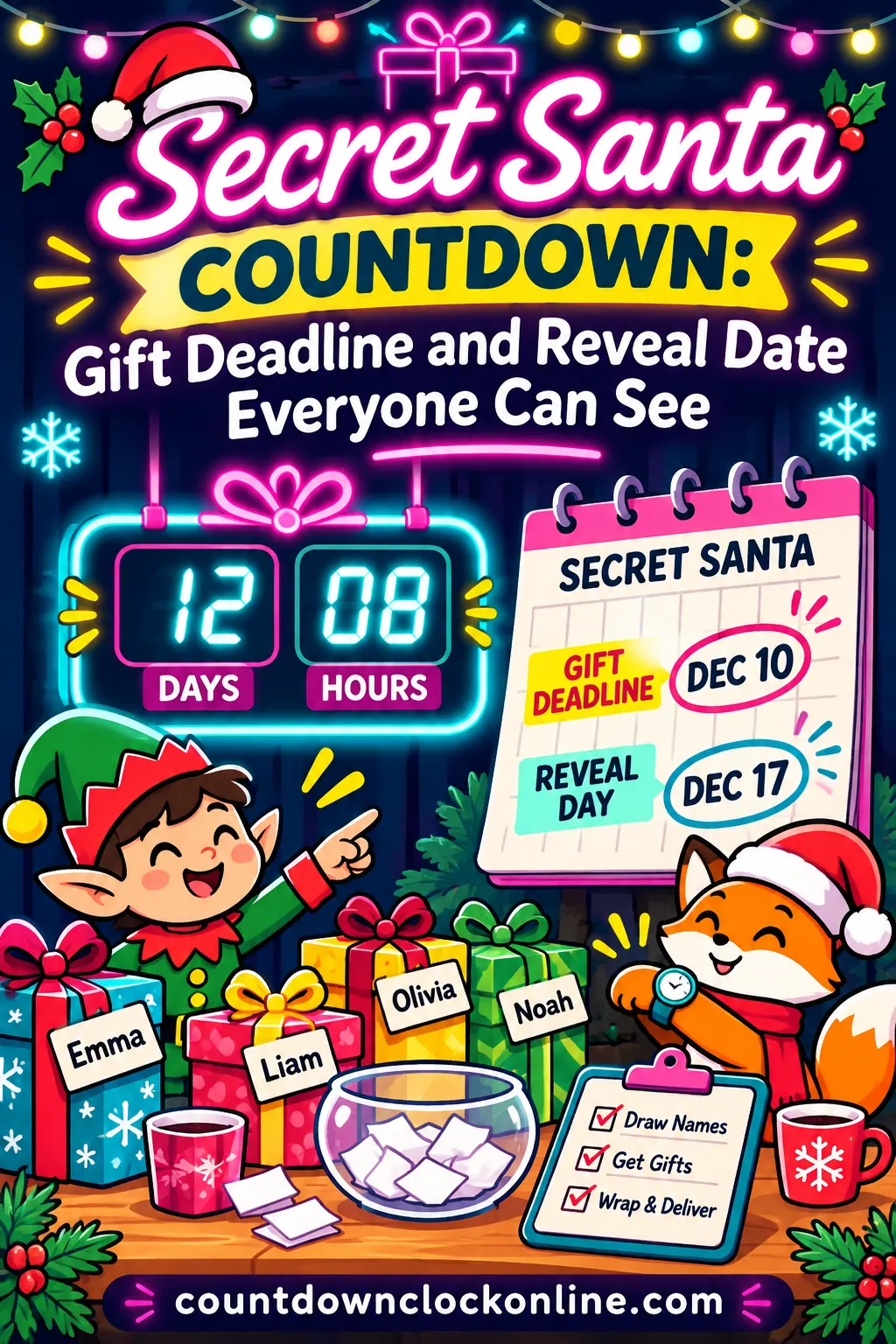
A Secret Santa deadline sticks when you set three dates (sign-up cutoff, buy-by day and reveal time), space the buy-by date three to four days before the reveal, and keep a live countdown to the reveal where everyone can see it. Most missed gifts come from people who simply lost track of the day, not people who didn't care. A free Secret Santa reveal countdown puts the deadline in the group chat, where it ticks down every time someone opens it.
This guide gives you a ready-to-copy schedule, exact settings for the countdown, timelines for office, remote, family and friend groups, reminder messages you can paste, and fixes for the problems organizers run into every year.
The Three Deadlines Every Secret Santa Needs
Most gift exchanges fall apart in one of three places: people sign up late, people shop late, or people forget which day the swap actually happens. Give each of those its own date, and say all three out loud in every message.
- Sign-up cutoff. The last moment to join. After this, you draw names, and nobody else can slip in without redrawing.
- Buy-by date. The day every gift should be bought and wrapped (or shipped, for a remote swap). This is the real Secret Santa deadline, and it's the one people forget.
- Reveal date and time. The moment everyone opens gifts and finds out who had whom. Give it a clock time, not just a day.
How far apart to space them
The spacing matters more than the exact dates. Here's a pattern that works for most groups.
| Deadline | When to set it | Why |
|---|---|---|
| Kickoff message | About 3 weeks before the reveal | Enough time for people to check their calendars |
| Sign-up cutoff | About 2 weeks before the reveal | Leaves 10 or more days of shopping time |
| Names drawn | Within a day of the cutoff | A long pause here eats into shopping time |
| Wish-list deadline | 1 to 2 days after names are drawn | Givers get hints while there's still time to use them |
| Buy-by date | 3 to 4 days before the reveal | A cushion for late shoppers, wrapping and sick days |
| Ship-by date (remote) | About a week before the reveal | Mail takes longer in December; check your carrier's official holiday dates |
| Reveal | A fixed day and clock time | People plan around a time, not a vague "sometime Friday" |
The buy-by cushion is the part most organizers skip. If the buy-by date is the same as the reveal date, the people who run late have zero room. Three or four days gives the organizer time to check in quietly and arrange a backup gift if someone's stuck.
A sample schedule for a Dec. 18, 2026 reveal
Friday, Dec. 18, 2026 is the last Friday before the week of Christmas, which makes it a popular pick for workplace swaps. Here's a full schedule built backward from 3:00 PM that day.
| Step | Date | Day |
|---|---|---|
| Kickoff message | Nov. 30 | Monday |
| Sign-up cutoff | Dec. 4 at 5:00 PM | Friday |
| Names drawn and sent | Dec. 7 | Monday |
| Wish lists due | Dec. 8 | Tuesday |
| One-week reminder | Dec. 11 | Friday |
| Buy-by date | Dec. 14 | Monday |
| Gifts dropped off or confirmed | Dec. 16 | Wednesday |
| Two-day reminder | Dec. 16 | Wednesday |
| Reveal | Dec. 18 at 3:00 PM | Friday |
From the draw on Monday, Dec. 7 to the buy-by date on Monday, Dec. 14, givers get a full week to shop, including a weekend. Then there are four more days before the reveal for anyone who's behind.
If your group meets on a different day, slide the whole table. Keep the gaps the same and only the dates change.
How to Set Up the Countdown With the Free Tool
A shared countdown solves the most common Secret Santa problem: people forgetting. Instead of digging through old messages to find the date, everyone taps one link and sees exactly how long is left. It takes about a minute to set up and there's no sign-up.
Step 1: Open the reveal countdown
Tap the ready-made Secret Santa countdown. It opens with these settings already filled in:
- Event name: Secret Santa reveal
- Date: December 18, 2026
- Time: 3:00 PM
- Theme: Party Pop, with balloons, cake and confetti floating up the screen
The clock starts right away. Under the title you'll see the full date, and below the big numbers there's a row of stats: sleeps, weeks, weekends and work days left.
Step 2: Change anything that doesn't fit your group
Tap Edit this countdown to open the form. You've got four controls:
- Event name. Up to 60 characters. Make it specific so nobody mixes it up with another party: "Marketing Secret Santa Reveal," "Cousins' Gift Swap" or "Book Club Secret Santa, Room 4B."
- Date. Pick your reveal day.
- Time. Use the real start time of the swap, like 3:00 PM or 7:30 PM. A countdown that ends at midnight before a mid-afternoon party is confusing.
- Theme. Party Pop is bright and fun. Evergreen gives you a classic Christmas red with snow and gifts. Frost is a cool winter blue, and Minimal Mono is plain if you're sharing it in a work setting that likes things simple.
Press Start countdown. The page and the share link update together.
Leave Repeat every year unchecked unless your exchange happens on the exact same date each year. Most groups pick a new date each December.
Step 3: Make a second countdown for the buy-by date
The reveal countdown tells people when the fun happens. A buy-by countdown tells them when the work is due. Make both.
- Tap Save to my countdowns so the reveal countdown is stored in your browser.
- Tap Make another. A fresh countdown opens and your reveal countdown stays saved.
- Name it "Secret Santa gifts due," set the date to your buy-by day (Dec. 14 in the sample schedule) and pick a time, like 5:00 PM.
- Press Start countdown, then Save to my countdowns again.
Now both countdowns sit side by side on your page and keep ticking. You can save up to 12 in one browser, so there's room for a sign-up cutoff countdown too.
Step 4: Share it where people already look
Tap Copy share link and paste it into your group chat, team channel, email or family text thread. The link carries the event name, date, time and theme, so anyone who opens it sees the exact same countdown.
There's also a set of ready-made lines under the share box, such as "Only 2 weeks until Secret Santa reveal!" Tap one and it's shared, or copied, with the live link attached. That's a quick reminder you can send without writing a word.
Step 5: Use the extra buttons
The row of buttons across the top of the countdown does more than share a link. Here's how each one helps an organizer.
| Button | What it does | Secret Santa use |
|---|---|---|
| Add to calendar | Downloads a calendar file with an all-day event and a reminder one day before | Everyone gets a nudge the day before the reveal |
| Save image | Makes a picture of the countdown, tall or square | Print it for the break room or post it in a chat that doesn't preview links |
| Fullscreen | A clean, centered countdown with no menus | Put it on the TV for the last few minutes before the reveal |
| Embed | A code you paste into a web page | A live countdown on a team or club page |
| Copy share link | Copies the live link | Paste it into every reminder |
One detail about Add to calendar: the event it creates is an all-day event on the reveal date, with a reminder the day before. It doesn't set the clock time in the calendar. So when you send the calendar file, put the time in your message too, like "Reveal is Friday at 3:00 PM."
A saved image is a snapshot. It shows the countdown as it was when you saved it, such as "11 days to go." If you print one for the office fridge, make a fresh one each week, or just write the date in big letters underneath.
When the countdown reaches zero, it stops and shows a "Secret Santa reveal is here!" banner with a burst of confetti. On a big screen in fullscreen mode, that's a fun way to kick off the swap.
Reading the stats row: a worked example
Say you send the link on the morning names are drawn, Monday, Dec. 7, 2026, at 9:00 AM. The countdown to Friday, Dec. 18 at 3:00 PM shows 11 days and 6 hours. The stats row underneath shows:
| Stat | Number | What it means |
|---|---|---|
| Sleeps | 11 | Nights between Dec. 7 and Dec. 18 |
| Weeks | 1 | One full week, plus a few days |
| Weekends | 1 | Saturday, Dec. 12 is the only weekend left |
| Work days | 9 | Weekdays from Dec. 8 through Dec. 18, counting reveal day itself |
That "1 weekend" is the number to point out in your message. For many people, the weekend is the only time they'll shop. If they miss Saturday, Dec. 12, they're down to weeknights. Saying "There's one weekend left before gifts are due" works better than repeating the date for the fifth time.
The work-day count includes every Monday through Friday. It doesn't know about company holidays or days off, so subtract those yourself if they apply.
Remote Teams and Time Zones
Remote and hybrid teams are where a shared countdown really earns its keep. When people work in different time zones, "3:00 PM Friday" means three different moments.
Here's how the tool handles it: the time you type is read in your own device's time zone, and the share link saves that exact moment. Everyone who opens the link counts down to the same instant, shown in their own local time.
So if you're in New York and set the reveal for 3:00 PM, here's what everyone sees.
| Teammate's location | Their local reveal time |
|---|---|
| New York (Eastern) | 3:00 PM |
| Chicago (Central) | 2:00 PM |
| Denver (Mountain) | 1:00 PM |
| Los Angeles (Pacific) | 12:00 PM |
Everyone's countdown hits zero at the same moment, which is exactly what you want for a video-call reveal.
A few tips for remote swaps:
- Set the time in your own zone. If the call is scheduled in another zone, convert it to your local time before you type it in.
- Pick a time that works for everyone. A 3:00 PM Eastern reveal lands at lunchtime on the West Coast, which is usually fine. A 9:00 AM Eastern reveal means 6:00 AM in Los Angeles, which usually isn't.
- Say the time in two zones in your message. "Friday at 3:00 PM Eastern, 12:00 PM Pacific" saves a lot of questions. The countdown backs you up.
- Build in mailing time. Remote swaps have a ship-by date, not just a buy-by date. Give people about a week before the reveal, and tell everyone to check their carrier's official holiday shipping dates. Those cutoffs change every year and differ by service, so don't guess.
- Have a plan for late packages. Agree up front that if a gift hasn't arrived by reveal day, the giver shows a photo of it on the call, and the recipient opens it when it lands.
For more about counting down to an exact time of day, see the site's guide to a countdown to a specific time.
Timelines for Different Kinds of Groups
Not every Secret Santa runs on an office calendar. Here's how the deadlines shift for different groups.
In-person office swap (10 to 30 people)
- Reveal: During work hours, often a Friday afternoon before people leave for the holidays.
- Buy-by: Three to four days before. Ask people to bring wrapped gifts in by a set day and put them in one spot, such as a box in the break room.
- Drop-off check: Two days before the reveal, count the gifts against the list. If any are missing, that's when you quietly reach out.
- Countdown tip: Post the share link in the team chat and put a fullscreen countdown on a shared screen on reveal day.
Remote or hybrid team
- Reveal: On a video call, at a time that works across all time zones.
- Ship-by: About a week before the reveal, and earlier if anyone ships across borders. Have everyone confirm with their carrier.
- Address deadline: Collect mailing addresses with sign-ups. Keep them private and only share each address with the one person who needs it.
- Countdown tip: Make three countdowns: addresses due, ship-by and reveal. Save them all so you can check them in one place.
Family exchange
- Reveal: Often at a holiday gathering, such as Christmas Eve or a weekend dinner in mid-December.
- Draw: Families usually draw names earlier, around Thanksgiving, since relatives may live far apart and need extra time.
- Buy-by: About a week before the gathering if anyone is traveling, so gifts can be packed or mailed.
- Countdown tip: Set the theme to Evergreen and send the link to the family text thread. Grandparents who don't check messages often can get the calendar file instead.
Friend group or club
- Reveal: At a party or meetup, often on a weekend evening.
- Sign-up: Friend groups tend to commit late, so set a firm cutoff and say you'll draw names that night.
- Buy-by: Three days before is usually enough when everyone shops locally.
- Countdown tip: Use Party Pop, and share one of the ready-made "sleeps till" lines every few days to keep the chat lively.
Classroom or youth group
- Reveal: The last day before winter break, or the last meeting of the year.
- Families shop, not kids. Send the deadline to parents, not just students, and give at least a full week plus a weekend.
- Keep the rules short. Spell out the spending limit and any gift rules in one short note home.
- Countdown tip: Put the countdown on the board in fullscreen each morning so students see the number change.
Here's how the main dates compare at a glance.
| Group | Names drawn | Buy-by or ship-by | Reveal |
|---|---|---|---|
| Office (in person) | 10 to 14 days before | 3 to 4 days before | Workday afternoon |
| Remote team | 2 to 3 weeks before | About 1 week before (ship) | Video call |
| Family | 3 to 4 weeks before | About 1 week before | Holiday gathering |
| Friends | About 2 weeks before | 3 days before | Weekend party |
| Classroom | 2 weeks before | 3 to 4 days before | Last day before break |
If your group is planning a party around the swap, the site's Christmas countdown party ideas can help fill out the rest of the event.
Reminder Messages You Can Copy
The right reminder at the right time does most of an organizer's job. Here are short scripts for each step. Swap in your own dates and paste your countdown link where it says [link].
Kickoff (about 3 weeks out)
Hi everyone! We're doing Secret Santa again this year. Here's the plan: Sign up by Friday, Dec. 4 at 5:00 PM. Names go out Monday, Dec. 7. Gifts due Monday, Dec. 14. Reveal is Friday, Dec. 18 at 3:00 PM. Spending limit: [your agreed amount]. Live countdown to the reveal: [link]
Put all the dates in the first message. People screenshot kickoff messages, so this one does a lot of work.
Last call for sign-ups (the day of the cutoff)
Last call! Secret Santa sign-ups close today at 5:00 PM. If you want in, reply here or add your name to the list. Names go out Monday.
Names drawn (right after the draw)
Names are out! Check your messages for your person. Please add your wish list or a few hints by Tuesday so your Santa has ideas. Gifts are due Monday, Dec. 14. Countdown: [link]
One week out
One week until the Secret Santa reveal! Gifts are due Monday, which means there's just one weekend left to shop. Need ideas? Ask me privately and I'll pass along hints. [link]
Two days out
Two days to go! The reveal is Friday at 3:00 PM. If your gift isn't in the box yet, please bring it by tomorrow. Remote folks: if your package is running late, let me know and we'll plan around it.
Day of the reveal
Today's the day! Secret Santa reveal at 3:00 PM. Watch the countdown hit zero with us: [link]
Private nudge to someone who's behind
Send this one directly, never in the group chat.
Hey, just checking in on Secret Santa. Gifts are due Monday. No pressure, but if the week got away from you, tell me and I'll help you figure something out. I'd rather hear now than Friday!
A friendly private message gives people a way to admit they're stuck without being embarrassed. That's the whole point of the buy-by cushion.
How often to remind people
Too many reminders and people mute the chat. Too few and they forget. For most groups, this rhythm works:
| When | Message | Where |
|---|---|---|
| About 3 weeks out | Kickoff with all dates | Group chat or email |
| Cutoff day | Last call for sign-ups | Group chat |
| Draw day | Names are out | Private messages plus a group note |
| 1 week out | One weekend left | Group chat |
| 2 days out | Final reminder | Group chat |
| Buy-by day, evening | Private nudge to anyone missing | Direct message |
| Reveal day | It's today | Group chat |
When Someone Misses the Deadline
Even with a countdown in every message, somebody will run late. Here's how to handle the most common situations without spoiling the fun.
| Problem | What to do |
|---|---|
| Someone forgot to buy a gift | Send a private nudge on buy-by day. If they still can't, ask them to bring a gift the next workday and tell the recipient it's coming. |
| A shipped gift is stuck in the mail | Ask the giver to share a photo or description at the reveal, so the recipient isn't empty-handed in the moment. |
| Someone drops out after names are drawn | Have the dropout's Santa pick up the dropout's person, or ask a willing organizer to fill in. Avoid a full redraw unless it's very early. |
| Someone's out sick on reveal day | Keep their gift aside and let them open it on a quick call or when they're back. |
| People disagree on the reveal time | Pin one message with the time and the countdown link, and point to it. The countdown is the official clock. |
| Remote teammates see a different time | That's expected. Everyone's countdown shows their own local time for the same moment. |
| The calendar event has no clock time | The calendar file is an all-day event. Add the time in your message or edit the event after you add it. |
| Saved countdowns are gone | They're stored in one browser only. Keep the share link in your notes, and you can reopen it anywhere. |
| Saving doesn't work at all | The browser may be in private mode. Use a normal window, or just bookmark the link. |
Keep a backup gift
Many organizers keep one small, wrapped, all-purpose gift on hand: a treat, a candle, a puzzle or a mug. If a giver truly can't come through, the recipient still has something to open, and the late gift can follow. Agree on this with your group ahead of time, or keep it as your quiet safety net.
Ideas by Group Size
The number of people changes how much lead time you need and how you share deadlines.
Small groups (4 to 8 people)
Small groups can move fast. A week between the draw and the reveal is usually plenty if everyone shops locally. One group chat and one countdown are enough. Have someone other than the organizer double-check the draw, or use a tool that keeps names hidden, so the organizer can play too.
Medium groups (10 to 25 people)
This is the classic office size. Stick with the full schedule: kickoff, cutoff, draw, buy-by, reveal. Keep a simple sign-up list with each person's name and whether their gift is in. On buy-by day, you'll know in a minute who needs a nudge.
Large groups (30 or more)
Big groups often work better split into smaller circles, such as by team, floor or friend group, with the same deadlines for all of them. Use one shared countdown for the reveal and one for the buy-by date, and post both in every circle's chat. Ask one helper per circle to track gifts, so the main organizer isn't chasing 40 people alone.
Kids and teens
When kids are involved, parents do the shopping, so send dates to parents directly. Give at least one full weekend between the draw and the buy-by date, and keep rules short. A countdown on the classroom board helps kids remember to remind their parents, which is half the battle.
Your Organizer Checklist
Run down this list once, and you'll have the whole exchange set up in one sitting.
- [ ] Pick the reveal day and clock time.
- [ ] Count backward to set the buy-by date (3 to 4 days earlier) and the sign-up cutoff (about 2 weeks earlier).
- [ ] For remote groups, set a ship-by date about a week before the reveal and remind people to check their carrier's official holiday dates.
- [ ] Agree on a spending limit and any gift rules.
- [ ] Make the reveal countdown and the buy-by countdown, and save both.
- [ ] Copy the share link into your kickoff message along with all the dates.
- [ ] Draw names within a day of the cutoff.
- [ ] Send reminders at one week and two days out.
- [ ] Check gifts against the list on buy-by day and send private nudges.
- [ ] Keep a backup gift.
- [ ] On reveal day, put the countdown on a big screen in fullscreen and enjoy the confetti.
Looking for things to do while you wait? The site's list of Christmas countdown games has easy ideas for the party itself.
Put Your Secret Santa Deadline Where Everyone Sees It
A Secret Santa runs smoothly when everyone knows three things: when to sign up, when gifts are due and when the reveal happens. Spread those dates out with a buffer before the reveal, remind people at a week and at two days, and keep one live countdown in every message.
Start your Secret Santa reveal countdown, change the date and time to fit your group, and paste the link in your group chat. Then make a second countdown for the buy-by date on the countdown maker so nobody can say they didn't know.
Frequently Asked Questions
How far in advance should the Secret Santa deadline be?
Set the buy-by deadline three to four days before the reveal. That leaves time for wrapping, late shoppers and anyone who's out sick. For remote swaps that need mailing, move the ship-by date to about a week before the reveal.
When should I draw names for Secret Santa?
Draw names about 10 to 14 days before the reveal for an office or friend group. Family and remote groups often draw earlier, two to four weeks ahead, because of travel and shipping. Try to draw within a day of the sign-up cutoff so shopping time isn't wasted.
How do I remind people about the Secret Santa deadline without nagging?
Send a short group reminder one week before and two days before, each with the countdown link. On buy-by day, send private messages only to anyone who hasn't turned in a gift. That's usually enough to catch everyone.
What's a good Secret Santa reveal time for an office?
Many offices pick a Friday afternoon near the end of the workday, such as 3:00 PM, the last week before people leave for the holidays. In 2026, Friday, Dec. 18 is a common choice. For remote teams, choose a time that falls within working hours in every time zone.
Does the countdown work for people in other time zones?
Yes. The share link saves one exact moment, and each person's countdown ends at that same moment in their own local time. A reveal set for 3:00 PM in New York ends at 12:00 PM for someone in Los Angeles.
Can I make separate countdowns for the gift deadline and the reveal?
Yes. Make the reveal countdown, tap Save to my countdowns, then tap Make another to create a buy-by countdown. Both stay saved in your browser side by side, and you can keep up to 12.
What if someone doesn't bring a gift by the reveal?
Reach out privately before the reveal, not during it. Ask the giver to bring the gift the next day or show a photo if it's in the mail. Many organizers keep one small backup gift so nobody leaves empty-handed.
Is the countdown free, and do people need an account?
It's free, and nobody needs an account or an app. The name, date, time and theme are stored in the share link, so anyone can open it on a phone, tablet or computer.