Open Presents Together on a Video Call: Counting Down Across Time Zones
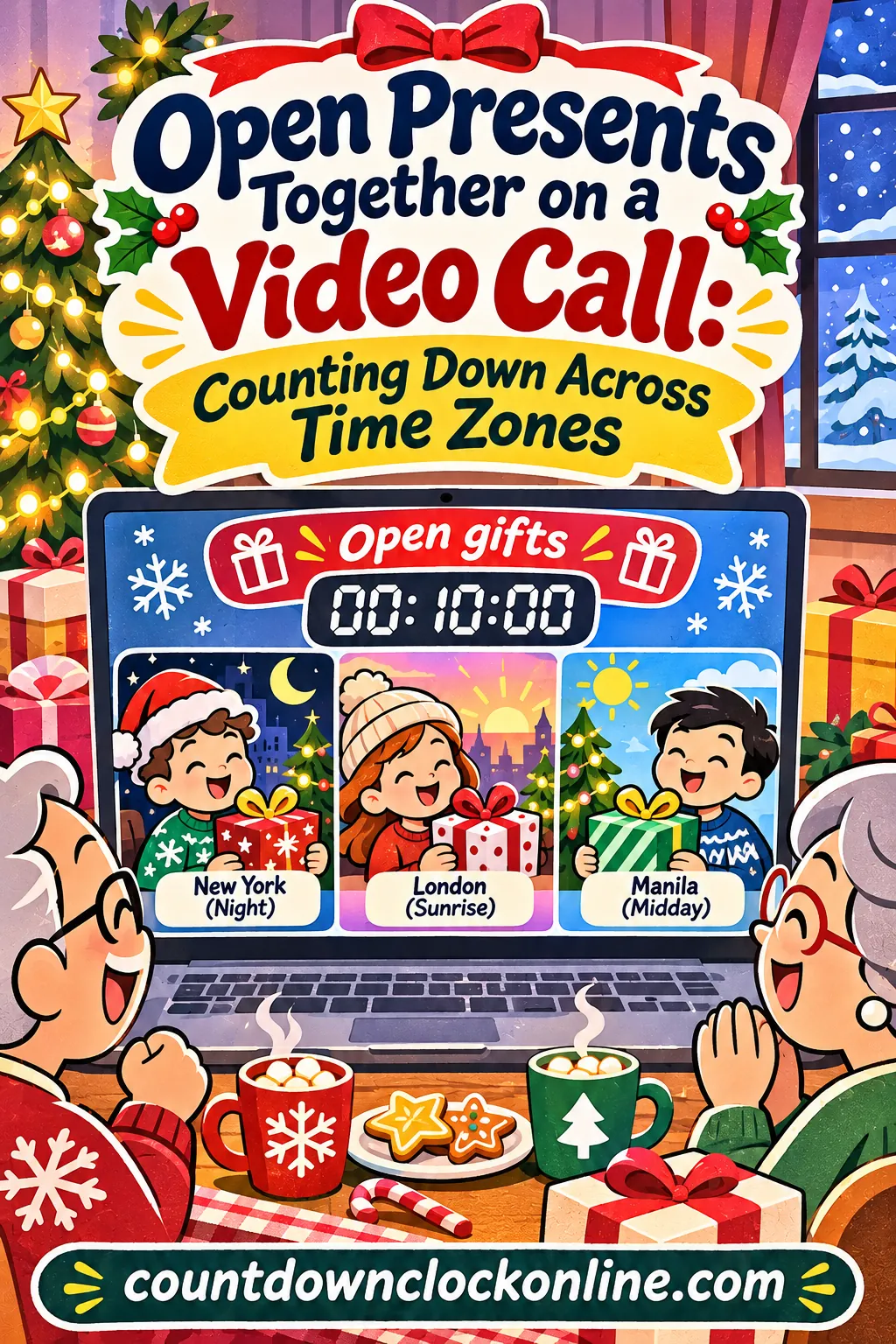
To open presents over video call with family in other time zones, agree on one exact moment written in one time zone, convert it for every household, and share a single live countdown link that hits zero at the same instant on every screen. For a coast-to-coast US family, 12:00 PM Eastern (9:00 AM Pacific) on Christmas Day works well. The free video-call gift opening countdown shows each person how long is left in their own local time, so nobody calls at 3:00 AM by mistake.
Below you'll find ready-made start times for the most common family splits, a conversion table for Dec. 25, 2026, the exact steps for setting up and sharing the countdown, a run-of-show for the call, and fixes for the things that usually go wrong.
Why Christmas Morning Is So Hard to Share
When everyone lives in the same time zone, "let's open presents at 9:00" just works. Spread the family out and that sentence starts to break.
Here's the core problem: Christmas morning doesn't happen at the same moment everywhere. When it's 9:00 AM on Dec. 25 in Sydney, it's still 2:00 PM on Christmas Eve in Los Angeles and 10:00 PM on Christmas Eve in London. When it's Christmas morning in New York, it's already Christmas evening in Manila.
That causes three common mix-ups:
- Two people mean two different times. Grandma says "9:00 AM" and means her 9:00 AM in Ohio. Her son in Denver hears "9:00 AM" and logs on two hours late.
- Someone calls in the middle of the night. A relative works out the time difference in the wrong direction and rings at 1:00 or 2:00 AM.
- The day itself is different. For one household it's Christmas morning, and for another it's still Christmas Eve, so "Christmas" on the invite isn't enough.
The fix is the same in every case. Pick one moment, write it in one named time zone, and give everyone a countdown that's already converted for them. Then there's nothing to work out and nothing to argue about.
Pick One Moment That Works for Everyone
Start by listing every household and its time zone. Then look for a window where nobody is asleep, nobody is driving to another family gathering, and the youngest kids can still sit still.
A good target for each household:
- Kids under 8: between 7:00 AM and 11:00 AM, or right after a nap.
- Teens and adults: almost any time from 8:00 AM to 9:00 PM.
- Grandparents: often mid-morning to late afternoon, before dinner.
- Anyone hosting a big meal: not in the two hours before they serve dinner.
Ready-made times for common family splits
These start times are for Christmas 2026. US times are standard time (Daylight Saving Time ends Nov. 1, 2026), and Australia and New Zealand are on summer time in December.
| Family split | Agreed moment | What everyone sees |
|---|---|---|
| East Coast and West Coast | 12:00 PM Eastern, Dec. 25 | 11:00 AM Central, 10:00 AM Mountain, 9:00 AM Pacific, 7:00 AM Hawaii |
| US and United Kingdom | 10:00 AM Eastern, Dec. 25 | 7:00 AM Pacific, 3:00 PM London |
| US and Western Europe | 10:00 AM Eastern, Dec. 25 | 4:00 PM Paris, Berlin, Madrid or Rome |
| US and India | 8:00 AM Eastern, Dec. 25 | 6:30 PM in India, 5:00 AM Pacific |
| US and the Philippines | 8:00 PM Eastern, Dec. 24 | 5:00 PM Pacific on Dec. 24, 9:00 AM Manila on Dec. 25 |
| US and Australia | 5:00 PM Eastern, Dec. 24 | 2:00 PM Pacific on Dec. 24, 9:00 AM Sydney on Dec. 25 |
| UK and Australia or New Zealand | 9:00 PM London, Dec. 24 | 8:00 AM Sydney, 10:00 AM Auckland on Dec. 25 |
| US, UK and Australia | 4:00 PM Eastern, Dec. 24 | 9:00 PM London on Dec. 24, 8:00 AM Sydney on Dec. 25 |
The splits with Asia and Australia have a built-in twist: someone has to open on Christmas Eve. That's usually the US or UK side, and it's often the easier swap. Plenty of families already open one gift on Christmas Eve, so it can feel like a tradition rather than a compromise.
A worked example: three households, three time zones
Say Grandma and Grandpa live in Ohio (Eastern), their daughter's family lives in Seattle (Pacific), and their son lives in London.
- The daughter's kids are 4 and 7 and will be up at dawn, but she doesn't want a call before 7:00 AM.
- The son is going to his in-laws' for dinner at 6:00 PM London time.
- Grandma wants to open gifts before she starts her own Christmas ham.
Try 10:00 AM Eastern. That's 7:00 AM in Seattle and 3:00 PM in London. The kids are awake, the son has three hours before dinner, and Grandma has the afternoon free for cooking. That's the time.
Now try the same family with the son in Sydney instead of London. At 10:00 AM Eastern on Dec. 25, it's 2:00 AM on Dec. 26 in Sydney. That doesn't work. Flip it to 4:00 PM Eastern on Dec. 24: it's 1:00 PM on Christmas Eve in Seattle and 8:00 AM Christmas morning in Sydney. The US households open one or two gifts on Christmas Eve on the call, and save the rest for their own morning.
Write it down in one time zone
Once you've picked the moment, write it the same way every time, with the time zone named: "Thursday, Dec. 24 at 4:00 PM Eastern." Don't write "4:00 PM your time" or "afternoon." The countdown will do the converting, so the written version only needs to be clear.
How to Set Up the Countdown With the Free Tool
The countdown maker on this site reads the time you type in your own device's time zone, then stores that exact moment in the share link. When a relative in another time zone opens your link, their screen counts down to the same instant, shown in their own local time. That's what makes it work for a family call.
It takes about two minutes, with no sign-up and nothing to install. One person, the organizer, does the setup and sends the link.
Step 1: Open the ready-made gift-opening countdown
Tap the Open gifts on the video call countdown. It opens with these settings:
- Event name: Open gifts on the video call
- Date: Friday, December 25, 2026
- Time: 9:00 AM, in your own time zone
- Theme: Frost, a cool winter blue
That 9:00 AM is just a starting point. Change it to your agreed moment in the next step.
Step 2: Enter the agreed moment in your own local time
Tap Edit this countdown and set the four controls:
- Event name. Up to 60 characters. Something like "Family gift opening on video" or "Presents with Grandma and Grandpa" is clear for everyone.
- Date. The date in your own time zone. If you're in New York and the moment is 4:00 PM Eastern on Christmas Eve, pick December 24, even though it's Christmas Day in Sydney.
- Time. The agreed moment converted to your own local time. If you live in Chicago and the family agreed on 12:00 PM Eastern, type 11:00 AM.
- Theme. Frost is wintry and easy to read. Evergreen has the classic Christmas red with snow and gifts, and Stardust works well for an evening call.
Press Start countdown.
This is the one step that trips people up. The organizer should enter the time as it reads on their own clock. If your device is set to Pacific time and you type "12:00 PM" meaning Eastern, everyone's countdown will end three hours late.
Step 3: Copy the share link and send it
Tap Copy share link and paste it into the family group chat, a text or an email. That copied link carries the exact moment, so it's the one to send.
Don't forward the original pre-filled link from this article to relatives in other time zones. That link only says "9:00 AM on Dec. 25," and each person's device would read it as 9:00 AM in their own zone. The link you copy after pressing Start countdown is pinned to one moment, and that's the one everybody needs.
Step 4: Ask everyone to check the line under the title
When a relative opens the link, the line under the title reads "Counting down to" followed by the date and time in their own local time. Someone in Sydney will see the Christmas Day date, and someone in Los Angeles will see Christmas Eve. Ask each household to reply with what their screen says. If it matches what you expect for their city, you're set. If it's wrong, the organizer's time was entered in the wrong zone, and you can fix it before Christmas.
Step 5: Use the extra buttons
The buttons above the countdown each help with a remote celebration:
| Button | What it does | Video-call use |
|---|---|---|
| Copy share link | Copies the live link with the exact moment | Send it to every household |
| Fullscreen | Shows a clean, centered countdown with no menus | Put it on a TV or spare tablet for the final minutes |
| Save image | Makes a picture of the countdown, tall or square | Send a picture to relatives who don't open links |
| Add to calendar | Downloads an all-day calendar event with a reminder one day before | A heads-up the day before the call |
| Embed | Gives you a code for a web page | A family website or blog |
Under the share box there are also ready-made messages like "3 sleeps till Open gifts on the video call!" Tap one and it's shared or copied with the live link attached, which makes a quick reminder in the group chat.
A note on Add to calendar: it makes an all-day event on the date shown on that person's own screen, not a timed meeting. That's fine as a reminder, but set the actual call time in your video app or phone too.
If you want to save the countdown for yourself, tap Save to my countdowns. It stays in your browser, and you can keep up to 12, so a separate countdown for Christmas dinner or the family's New Year's call can sit right beside it.
Time Zone Conversion Table for Christmas 2026
Here's how three popular start moments land around the world. The first column is the moment the organizer picks; each row shows that same instant in another city.
| City or zone | 12:00 PM Eastern, Dec. 25 | 10:00 AM Eastern, Dec. 25 | 5:00 PM Eastern, Dec. 24 |
|---|---|---|---|
| Honolulu | 7:00 AM Dec. 25 | 5:00 AM Dec. 25 | 12:00 PM Dec. 24 |
| Anchorage | 8:00 AM Dec. 25 | 6:00 AM Dec. 25 | 1:00 PM Dec. 24 |
| Los Angeles, Seattle | 9:00 AM Dec. 25 | 7:00 AM Dec. 25 | 2:00 PM Dec. 24 |
| Denver, Phoenix | 10:00 AM Dec. 25 | 8:00 AM Dec. 25 | 3:00 PM Dec. 24 |
| Chicago, Mexico City | 11:00 AM Dec. 25 | 9:00 AM Dec. 25 | 4:00 PM Dec. 24 |
| New York, Toronto | 12:00 PM Dec. 25 | 10:00 AM Dec. 25 | 5:00 PM Dec. 24 |
| São Paulo | 2:00 PM Dec. 25 | 12:00 PM Dec. 25 | 7:00 PM Dec. 24 |
| London, Dublin | 5:00 PM Dec. 25 | 3:00 PM Dec. 25 | 10:00 PM Dec. 24 |
| Paris, Berlin, Rome, Lagos | 6:00 PM Dec. 25 | 4:00 PM Dec. 25 | 11:00 PM Dec. 24 |
| Johannesburg, Athens | 7:00 PM Dec. 25 | 5:00 PM Dec. 25 | 12:00 AM Dec. 25 |
| Dubai | 9:00 PM Dec. 25 | 7:00 PM Dec. 25 | 2:00 AM Dec. 25 |
| India | 10:30 PM Dec. 25 | 8:30 PM Dec. 25 | 3:30 AM Dec. 25 |
| Manila, Singapore, Perth | 1:00 AM Dec. 26 | 11:00 PM Dec. 25 | 6:00 AM Dec. 25 |
| Tokyo, Seoul | 2:00 AM Dec. 26 | 12:00 AM Dec. 26 | 7:00 AM Dec. 25 |
| Brisbane | 3:00 AM Dec. 26 | 1:00 AM Dec. 26 | 8:00 AM Dec. 25 |
| Sydney, Melbourne | 4:00 AM Dec. 26 | 2:00 AM Dec. 26 | 9:00 AM Dec. 25 |
| Auckland | 6:00 AM Dec. 26 | 4:00 AM Dec. 26 | 11:00 AM Dec. 25 |
A few things to notice:
- Arizona doesn't change its clocks, but in December it's on the same time as Denver, so the table works for Phoenix.
- Brisbane and Sydney are an hour apart in December. Queensland doesn't use summer time, while New South Wales and Victoria do.
- India is on a half-hour offset, so its times end in :30 against US and UK times.
- Double-check any country that changes its clocks. If a relative lives somewhere with its own daylight-saving rules, ask them to confirm their local time on the countdown before the day.
If you need help converting a single time, the site's guide to a countdown to a specific time walks through it.
A Run-of-Show for the Big Call
A video gift opening goes much more smoothly with a loose plan. Here's a timeline you can match to your countdown.
| Countdown shows | What happens |
|---|---|
| 2 weeks | Organizer confirms the moment, makes the countdown and sends the link. Ask everyone to reply with the time their screen shows. |
| 1 week | Ship any gifts that need to arrive before the call. Check your carrier's official holiday shipping dates first. |
| 3 to 5 days | Do a five-minute test call with every household, on the devices you'll use. |
| 1 day | Send a reminder with the countdown link and the video call link together. |
| 1 hour | Charge devices, set up the camera angle, gather gifts in one spot. |
| 15 minutes | Organizer opens the video call so people can drift in. |
| 5 minutes | Put the countdown in fullscreen on a screen everyone can see, or share your screen on the call. |
| 0 | Everyone says "Merry Christmas!" together, and the first gift gets opened. |
The test call matters most
Most of the trouble on Christmas morning shows up in the first five minutes: a grandparent can't find the camera button, a teen's laptop needs an update, the microphone is muted. A short test call a few days before catches all of it while there's time to fix it.
During the test, check:
- Can every household see and hear everyone else?
- Does each person know how to mute and unmute?
- Is the camera at eye level, not pointed at the ceiling?
- Is there enough light on faces? A lamp in front of you works better than a window behind you.
- Does everyone have the countdown link and the video call link in the same message?
Ship gifts with room to spare
If you're mailing gifts to be opened on the call, ship them earlier than you think. Mail slows down in December, and international packages can take much longer. Check your carrier's official holiday shipping dates and aim to arrive several days before the call. Ask each household to keep the boxes unopened and label them by recipient so they're easy to find when the countdown hits zero.
Ways to Open Gifts Together on Video
Once the countdown hits zero, you need a simple plan for who opens what, and when. Ten people tearing paper at once looks fun for about thirty seconds, and then nobody can see or hear anything.
| Format | How it works | Best for |
|---|---|---|
| Round-robin | One person opens one gift while everyone watches, then the next person goes | 3 to 10 people; the most fun to watch |
| Household turns | Each household opens all of its gifts from the others, then hands off | Big families with many gifts |
| Kids first | Kids open their gifts while adults watch, then adults go | Families with young children |
| Big reveal | Everyone opens one chosen gift at the same moment on a count of three | A quick, loud kickoff before turns |
| Giver tells the story | The giver explains why they chose the gift before it's opened | Small groups and grandparents who love details |
Most families mix two of these. A big reveal right when the countdown ends, then a round-robin for the rest, keeps the energy up without getting chaotic.
Keep it moving
A gift opening that runs long loses the kids first, then the grandparents. A few habits help:
- Set a gift limit for the call. One to three gifts per person is plenty. Save the rest for later in the day.
- Pick a host. One person calls out whose turn it is, so nobody talks over anyone.
- Hold the gift up to the camera. Show it for a few seconds before setting it down. Remind everyone the camera often flips the image, so text looks backward on their own screen but correct for everyone else.
- Mute when it's not your turn. Wrapping paper is loud.
- Plan an end time. Forty-five to sixty minutes is a good target for most families.
Scripts you can copy
The invite message (two to three weeks out):
"Hi everyone! Let's open presents together on video this year. We're doing it Thursday, Dec. 24 at 4:00 PM Eastern. That's 1:00 PM on the West Coast, 9:00 PM in London and 8:00 AM Christmas morning in Sydney. Here's a countdown that shows the time where you are: [your copied share link]. Can you reply with the date and time your screen shows under the title?"
The one-day reminder:
"Tomorrow's the big call! Countdown: [link]. Video call: [call link]. Charge your phone or laptop, and keep two or three gifts nearby for the call."
The opening line when the countdown hits zero:
"Merry Christmas, everyone! Let's start with the kids. [Name], you're first, so pick the gift from Grandma and Grandpa."
For the relative who can't make the time:
"We'll miss you on the call! Want to open your gift from us on a short video chat later, or should we record the call so you can watch it?"
Adjusting for Ages and Family Size
There's no single right way to do this. Here's how to fit the call to the people on it.
Families with toddlers and young kids
Little kids can't wait through a long countdown and then a long call. Keep the call to about 30 minutes, let them open first, and plan it after breakfast. A countdown on a tablet in fullscreen gives them something to watch while the adults get the call started. If the call is on Christmas Eve for your household, let them open one gift on the call and save the rest for the morning.
Teens
Teens are often happy to help with the tech, so give them a job: running the countdown on the TV, sharing their screen or keeping track of whose turn it is. They tend to be more patient with the call if they're part of it.
Grandparents who aren't comfortable with tech
Set up their device a few days before, during the test call, and write the steps on a card: "1. Tap the green link. 2. Tap Join. 3. Tap the microphone if no one can hear you." If you can, have a nearby relative or neighbor help them log on. Send them a picture of the countdown made with Save image if they don't open links easily.
Big families of 15 or more
With many households, the call gets crowded. Give each household its own five-minute turn, and use a host to keep the order. Another option is a short shared kickoff when the countdown hits zero, followed by smaller calls by branch of the family.
Just two households
With only two homes, the call is easy. Use the giver-tells-the-story format and take your time. If the time difference is huge, alternate each year: one year your morning, the next year theirs.
Troubleshooting Common Problems
Here's what to do when something doesn't go to plan.
| Problem | What to do |
|---|---|
| A relative's countdown shows the wrong time | Ask what the line under the title says. If every household is off by the same amount, the organizer typed the time in the wrong zone; edit it, press Start countdown, and send the new copied link. |
| Someone forwarded the article's pre-filled link | That link reads 9:00 AM in each person's own zone. Send them the link copied from Copy share link instead. |
| One household's countdown ends an hour early or late | Check that their device's clock and time zone are set correctly, especially on a laptop that traveled recently. |
| A relative's internet drops during the call | Keep going and let them rejoin. Ask them to switch from Wi-Fi to their phone's data, or to turn off their camera to save bandwidth. |
| The time no longer works for someone | Pick a new moment, edit the countdown, and send the new link with a short note: "New time! Please use this link." The old link still shows the old time. |
| Gifts didn't arrive in time | Open the gift virtually: the giver shows a photo and tells the story, and the real opening happens on a short call when it arrives. |
| The call is too loud and messy | Ask everyone to mute, and have the host call on one person at a time. |
| Kids are getting restless | Move the kids' turns to the front, then let them go play while the adults finish. |
If the plan changes on the day
Say a flight is delayed and one household needs an extra hour. The organizer taps Edit this countdown, changes the time, presses Start countdown, then taps Copy share link and sends the new link. Because the time is stored inside the link, the old link won't update on its own, so make sure everyone opens the new one.
Get Everyone on the Same Moment
Opening presents together from far apart comes down to one thing: everyone has to be counting down to the same instant. Pick a moment that keeps everyone awake, write it in one named time zone, and send one countdown link that does the converting for you.
Make it a tradition
Families that open presents over video call one year often keep doing it, even after they're back in the same place for some Christmases. A few ideas to make it feel special:
- Use the same countdown theme each year so the screen itself becomes part of the tradition.
- Take a screenshot of the call with everyone holding up one gift, and send it around afterward.
- Sing one traditional carol together right before the countdown hits zero, like "Deck the Halls" or "Jingle Bells." Video calls lag a little, so it'll be gloriously off-beat.
- Add a small game between gift turns. The site's Christmas countdown games list has easy ones that work on video.
- Pick next year's time at the end of the call, while everyone's still there.
If your household opens gifts on Christmas Eve because of the time difference, the site's ideas for a countdown for Christmas Eve can make that evening feel like its own celebration.
Start your video-call gift opening countdown, change it to your agreed time in your own local zone, press Start countdown, and send the link you copy. You can make more countdowns for the call's test run or for Christmas dinner on the free countdown maker.
Frequently Asked Questions
How do you open presents over video call with family in different time zones?
Agree on one moment and write it in one named time zone, like 12:00 PM Eastern on Christmas Day. Then make a countdown, copy its share link and send it to everyone. Each person's countdown ends at the same instant and shows the time in their own zone.
What's the best time for a Christmas video call between the US and Australia?
Christmas Eve afternoon in the US usually works best, because it's Christmas morning in Australia. For example, 5:00 PM Eastern on Dec. 24 is 2:00 PM Pacific and 9:00 AM on Dec. 25 in Sydney. The US households open a gift or two on the call and save the rest for their own morning.
What's a good time for a US and UK family to open gifts together?
Try 10:00 AM Eastern on Christmas Day. That's 7:00 AM on the West Coast and 3:00 PM in London, so the UK side has time before Christmas dinner. If the West Coast family sleeps in, 11:00 AM Eastern (8:00 AM Pacific, 4:00 PM London) works too.
Does the countdown adjust for each person's time zone?
Yes. The time you type is read in your device's time zone, and the copied share link stores that exact moment. Anyone who opens it counts down to the same instant, and the line under the title shows the date and time in their own local zone.
Why does my relative's countdown show the wrong time?
Usually the link they opened was the original pre-filled link, which reads the time in each viewer's own zone, or the organizer typed the time in the wrong zone. Send the link from Copy share link after pressing Start countdown, and ask everyone to check the line under the title.
Is it okay if one family opens presents on Christmas Eve?
Yes, and it's often the only way to share Christmas morning with someone on the other side of the world. Many families already open one gift on Christmas Eve, so the household that goes early can open one or two on the call and save the rest for their own morning.
How long should a virtual gift opening last?
About 45 to 60 minutes works for most families, and around 30 minutes with young kids. Limit the call to one to three gifts per person and save the rest for later. A host who calls on each person keeps it moving.
Can I show the countdown on the video call?
Yes. Tap Fullscreen for a clean countdown with no menus, then share your screen on the call or set a tablet up behind you. Everyone can watch the last minutes tick down together before the first gift is opened.